
In today’s digital age, almost everyone owns an iPhone, and people use it for online payments, playing games, and sometimes even using public Wi-Fi. They also occasionally access websites that aren’t available everywhere. In such situations, a VPN is the perfect way to secure your iPhone.
In this guide, you’ll learn about the benefits of using a VPN on your iPhone and all the important things an iPhone user needs to know about VPNs. Let’s get started!
What Is a VPN and Why You Need It on iPhone
VPN stands for Virtual Private Network. It helps you access the internet securely on your device. In simple terms, a VPN creates a secure layer over your internet connection, ensuring that your data and privacy remain completely protected.
When you browse the internet without a VPN
- Your IP address is easily visible.
- Hackers can easily track your online activity.
- Your data can be stolen when using public Wi-Fi.
When using a VPN
- Your IP address is completely hidden.
- Your data is securely encrypted.
- And you can browse the internet with greater security.
How to use a VPN on an iPhone (step-by-step)
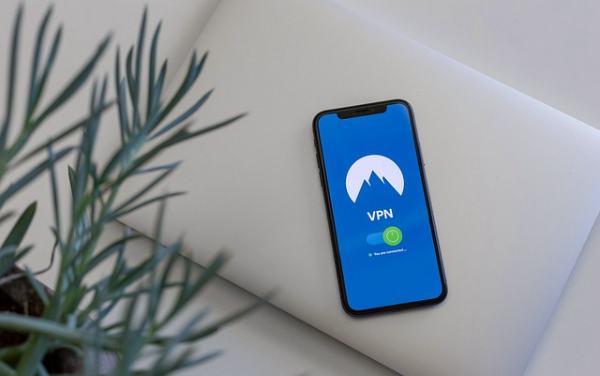
If you’re using a VPN on your iPhone for the first time, there’s no need to worry, as setting up a VPN on an iPhone is as easy as installing any other app. We’ve explained the entire process step-by-step below.
- Open the App Store : First, open the App Store on your iPhone, as this is where you will download the VPN app.
- Search for a VPN app : Now, type the name of a reliable VPN in the search box, such as NordVPN, Proton VPN, or AdGuard VPN.
- Download and install the VPN app : Now tap the Get or Download button. This will install the VPN app on your iPhone.
- Open the app and grant necessary permissions : After opening the VPN app, your iPhone will ask for some permissions. Grant all the requested permissions.
- Create an account : Create an account using your email address.
- Connect : Now tap the Connect button to connect to the VPN.
The benefits of using a VPN on an iPhone
A VPN app is not just for your privacy; it offers several other benefits as well.
- Online privacy is protected : All your browsing history and data remain secure.
- Security on public Wi-Fi : The risk of data theft is significantly reduced.
- Access to blocked content : You can access certain apps and websites that are blocked in your country.
- Improved gaming and streaming : A VPN can sometimes provide access to better servers for gaming and streaming.
The best VPN apps for iPhone
There are many VPN apps available for iPhones, but you should only use a trustworthy VPN because not all VPNs are reliable. We have listed some good and popular VPNs below.
- ExpressVPN – Provides users with fast speeds and strong security.
- NordVPN – This VPN is a powerful option for privacy.
- Surfshark – This VPN is considered a budget-friendly option that everyone can afford.
- Proton VPN – This VPN offers both free and paid plans.
- AdGuard VPN – This VPN is very popular among iPhone users.
How to use a VPN on an iPhone for gaming?
Many people think that using a VPN slows down gaming, but if you use a VPN correctly, it can actually be very helpful for gaming.
VPNs are used for these purposes in gaming
- It helps in accessing servers in other countries.
- You can avoid IP bans with its help.
- In some cases, it’s used for a stable connection.
Keep the following in mind when using a VPN for gaming
- Choose a server in a country close to your location for your game.
- Avoid free VPNs as they often result in high ping.
- Connect to the VPN before starting the match for better performance during gameplay.
How to use a VPN on your iPhone without draining the battery?
Many users complain that using a VPN drains their phone’s battery quickly. Here’s how to prevent your battery from draining so fast.
- Keep your VPN turned off when you don’t need it.
- Do not always keep auto-connect turned on.
- Use a lightweight and reliable VPN.
- Close unnecessary apps running in the background.
If you use your VPN correctly, it won’t drain your battery excessively, and your battery will last longer.
Conclusion
If you want to prevent your data from being leaked, start using a VPN today. A VPN not only protects your online data but also gives you complete freedom. The important thing is to choose the right VPN and use the correct server. By using a VPN in this way, you can protect your data on your iPhone.